Cyber Dock: one ecosystem
for all of your gadgets.
Finally.
Maximum convenience with no brand lock-in!
What this is about...
Devices only “get along” inside a single ecosystem — Apple, Samsung, Xiaomi and so on.
If your devices come from different manufacturers, convenience drops sharply: you copy links by hand, send files through messengers, plug in flash drives or look for other workarounds. And sometimes, while watching a series on the computer, you really want to switch to the phone when you have to leave the room... Sound familiar?
OS support

Available features
Cyber Dock makes interaction between your devices fast, convenient and invisible.
- Shared clipboardCopy text on one device and paste it on another.
- Send links that open in the browserThe link opens on the device you need in the default browser.
- High-speed file transferFiles are transferred directly, at the highest possible speed.
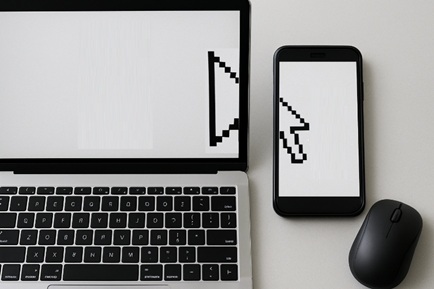
- Shared seamless workspaceUse a phone as an extra monitor. Control it with the computer’s mouse and keyboard. Or join any number of computers and phones into one shared workspace. (Windows, Android, iOS, macOS, *nix)
- Hardware-level control of any deviceNo software to install on the device being controlled. Any laptop or phone. Or a smart TV, a projector — anything with a USB port.
- Folder syncTwo-way or one-way, with or without deletions. For example, automatic download of captured content from the phone to the computer.
- Phone notifications on the computerPhone notifications arrive on the computer: a message or an event shows on the screen without picking up the phone.
- Remote desktopAnswer phone calls right from the computer screen. Or reach your home computer by showing its screen on the phone.
- Network driveKeep all your files on your own physical drive and reach them from any device.
- Control devices from your phone like a remote.Watch a movie on the computer and control volume and play/pause on the phone. Or use the phone as a touchpad for the mouse of a projector or smart TV.
- Move a browser window in seamless modeDrag a browser window with the mouse onto the device you need — and it opens there.
- Drag and drop files between devices in seamless mode
- Automatic keyboard layout correctionPunto Switcher, hello!
- Wireless hardware virtual hard drive with a control moduleFor watching video and controlling a smart TV or projector.
- Using other devices’ peripherals: camera, microphone
- Bluetooth Audio HubFor combining Bluetooth audio devices (headphones, car, headsets, speakers). Forget connection problems. Sound from several devices at the same time.
- Voice keyboardDictate text on any device into any input field.
- AI control of the ecosystem“Copy”, “launch”, “find” — or ask any other question whose answer lives in your ecosystem.
Key benefits
- Cross-platform — works with any OS and any brand.
- Freedom of choice — you are not tied to a single vendor.
- Shared clipboard and instant data transfer.
- Instant switching of playback between devices.
- One control for all devices — keyboard, mouse
- Shared peripherals: microphone, camera, sound, screen.
- Convenient file handling — file sending, folder sync, a shared virtual drive.
- Voice input and AI control.
- Many handy features that speed up your work
We are not building yet another ecosystem of restrictions. We are breaking the borders between them.
We are building a world where technology serves the person — not the person serves the brand.
Interested in the project?
At this stage registration is available only with an invitation code.
Sign up Contact us